Simple, transparent, human
We’ve stripped away the queues, forms and hidden fees.

Simple, transparent, human
We’ve stripped away the queues, forms and hidden fees.

Built for how you live, work, and give
Send and receive money in minutes across borders, currencies and networks.

Built to keep you connected to people, progress, and purpose
Because distance shouldn’t slow down care, business or opportunity

You can receive from 16+ African Countries, from the UK, US, Canada, Europe and rest of the world via the Lightway app & Web portal.


To send money abroad with MoMo, simply follow the steps below:
Step 1: Open your MoMo app, go to the ‘Transfer’ section, and tap on ‘To Africa’.
Step 2: Choose the recipient’s country from the list.
Step 3: Enter the recipient’s phone number, the amount you want to send, and the purpose of the transaction. Then tap ‘Continue’.
Step 4: Review the transaction details carefully, then enter your PIN to complete the transfer.
That’s it! The money will be credited to your recipient’s MoMo wallet, and they’ll get an SMS confirmation.
Here’s a quick video guide for you.
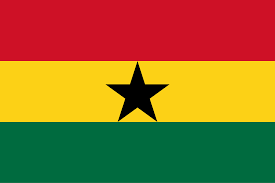
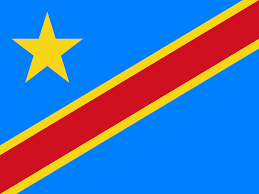
You can send money to Ghana, Rwanda, Togo, Benin Republic, Cameroon, Congo DRC, Congo Brazzaville, Gambia, Cote d’Ivoire, Liberia, Malawi, Zambia, Sierra Leone, and Uganda.
You can send any amount you like. However, the total amount you can send per day depends on the limit of your account Tier as set by CBN.
Tier 1: N50,000 daily limit
Tier 2: N200,000 daily limit
Tier 3: 5,000,000 daily limit
You only need the receiver’s MoMo account number and their name to confirm you’re sending the money to the right person.
Yes, you need to have a MoMo account to make international transfers with MoMo.
It’s easy! Simply follow the steps below:
Step 1: Go to Playstore or App store, search for MoMo PSB and download the app
Step 2: Launch the app and click on Get Started.
Step 3: Review the Terms of Service and Privacy Policy and accept them.
Step 4: Enter your email address, MTN phone number, and referral code (if you have one), and click Continue
Step 5: Verify your account by entering the OTP sent to your phone number
Step 5: Create your login Passcode- create a 6-digit login PIN for your account, confirm the PIN and click continue.
Step 6: Set up your Security Questions by selecting 3 questions from the list and provide your answers to them.
Step 7: Set your 4-digit transaction PIN
That’s it! Your account is successfully created.
We charge a flat fee of 3% on the amount you’re sending. No hidden charges!
The transfers are instant. The receiver gets the money in their MoMo account immediately
You’ll get an SMS confirmation.
The receiver will get the money in their MoMo account instantly
You send in Naira and the receiver gets it in their local currency.
You can send money via the app and our USSD channel (*671#)
Cash drop-offs are currently not available. To send money, you’ll need to do it via the MoMo app or USSD (*671#).
The exchange rates are benchmarked with prevailing rates in the market.
This rarely happens; however, you can raise a dispute on this by reaching out to us:
Helpdesk: 671 (toll free)
WhatsApp: 07031594671
Email: customercare@momopsb.com
You can send to US, Europe, Canada, and rest of the world via the Lightway app or web portal.
It’s simple:
• Visit the Lightway Finance app or website and create your profile
• Click “Send Money”
• Enter the amount you want to transfer
• For currency payout, select Direct to MoMo Mobile Wallet
• Add other details as required.
• Confirm and complete the payment
The money arrives instantly in your MoMo wallet in local currency.
There are no transaction limits, but certain thresholds necessitate Anti Money Laundering checks
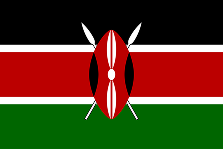
You can receive money from Ghana, Rwanda, Togo, Benin Republic, Cameroon, Congo DRC, Congo Brazzaville, Gambia, Cote d’Ivoire, Liberia, Ghana, Malawi, Zambia, Sierra Leone, Uganda, Kenya, and South Sudan, as well as from the UK, US, Europe and Canada straight into your MoMo wallet.
The amount you can receive depends on the limit of your account Tier as set by CBN.
Tier 1: N50,000
Tier 2: N200,000
Tier 3: Unlimited
Yes, you’ll receive the money in your local currency.
You’ll get an SMS alert once the money hits your account.
Only the normal N10 transfer charges apply when you send money from your account.